Huawei monitor employees internet activities in which way?

Posted on August 19th, 2011 in Uncategorized | No Comments »

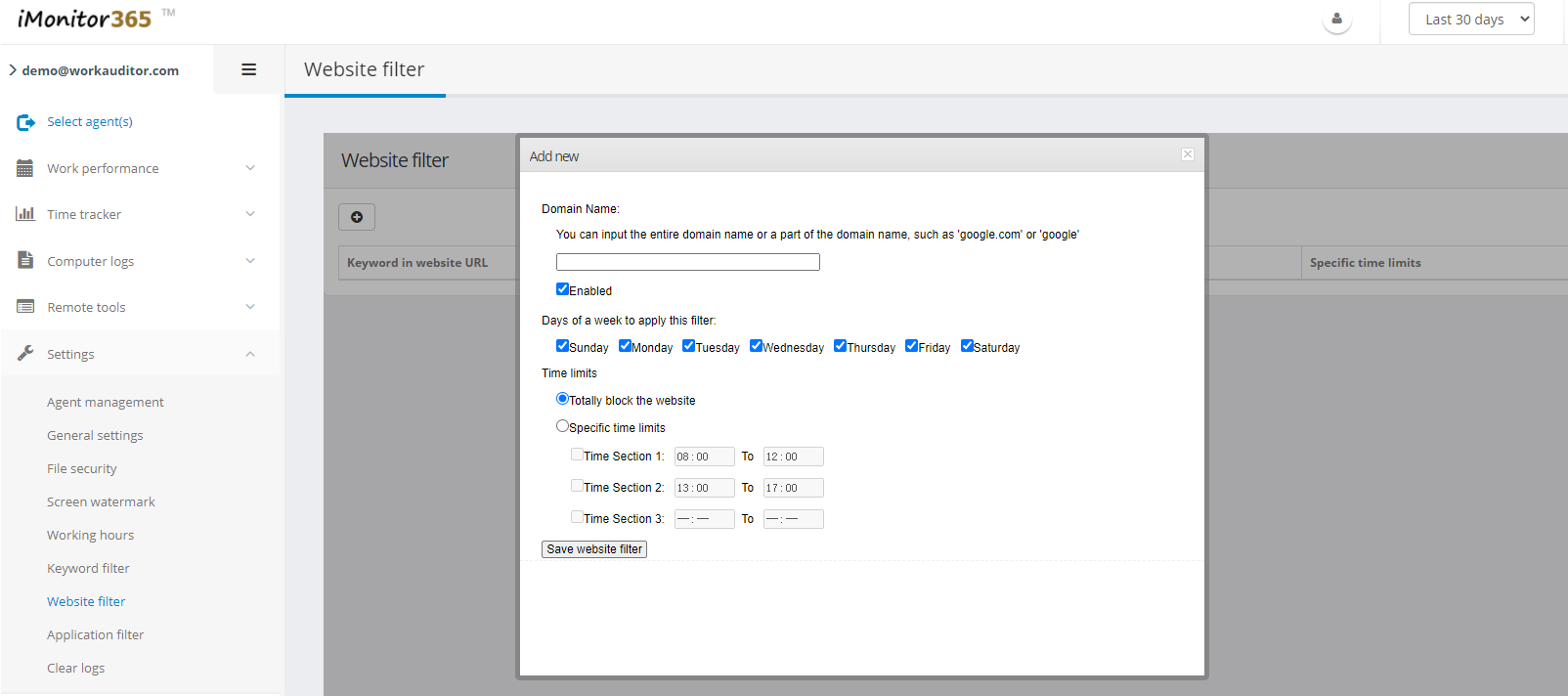
1, Internet Monitoring: to monitor employees on site, and content managers to facilitate the conduct of employee Internet monitoring and management. And has a web filtering, can prohibit employees from a specific site, and can limit employee access to specific time.

2, chat monitor: can monitor employee use of various chat tools chat, to facilitate acts of managers to manage employee Internet chat, chat to avoid excessive working hours employees work-related content.

3, e-mail monitoring: real-time recording of all LAN computers send and receive mail, and detailed monitoring and recording all messages sent to employees of all content, whether he is through, FOXMAIL, OUTLOOK, OUTLOOK EXPRESS or send any other e-mail tools.

4, the game monitor: to monitor employees to play the game content.

5, file monitoring: the staff can copy, cut, delete, rename files or folders to monitor operations.

6, other monitoring: staff can monitor all computer operations, and can customize monitoring options, but can be defined only monitor certain operations, while other operations ignored.

7, real-time monitoring: real-time monitoring employee computer and can be controlled, as easy as operating their own computer operations staff computers. Also provides a multi-screen monitor, can simultaneously monitor up to 16 employees.

8, timely warning: can be set into the removable storage device, or copy files when away or other custom prohibits operation, police in time management. In this way, employees do some work-related things, or endanger the security of confidential information to the company, the manager can know in time.

9, the hardware management: lists all employee computer hardware. All hardware devices can be disabled to avoid not related to the work of employees using computer equipment, errors modify the network properties to facilitate the unified arrangements of the screen saver or screen, is also the first one to achieve a just disable the USB storage device, without disabling USB mouse, keyboard, storage devices and other non-recognition functions,

10, block ports: port may block employee Internet access, chat port, game port, etc., according to the need to regulate employees’ online behavior.

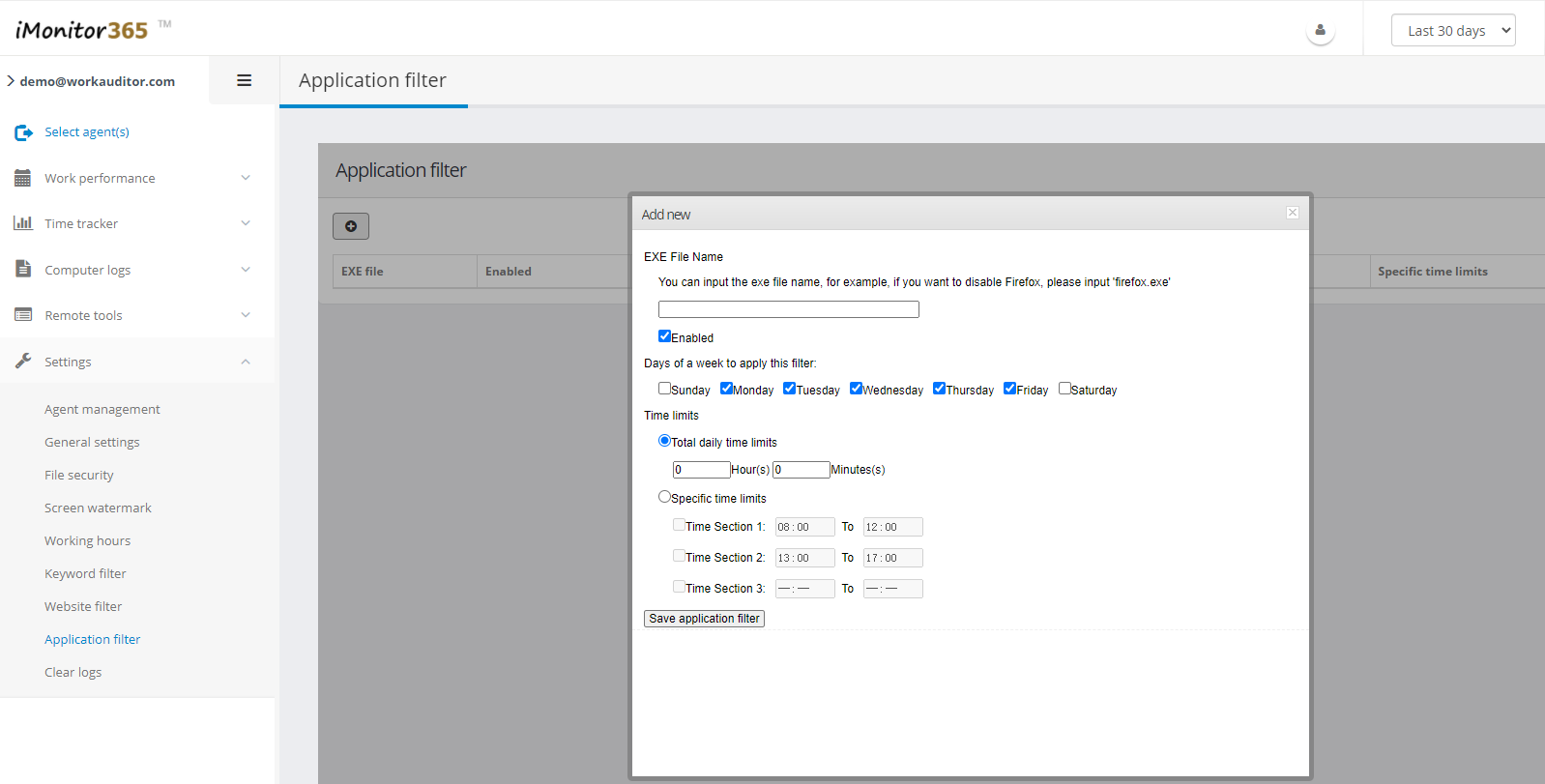
11, prohibited to run: Disabled employees can set their own specific computer program (such as: QQ, MSN, Thunder), regulate employee use of computers

12, monitoring statistics report: in a month the staff’s efficiency statistics, it is intuitive to use various software to see staff time and frequency. And reflected in column and pie charts. Makes the evaluation of managers of employees working more intuitive, more informed.

13, remote file operations: can staff all the files within a computer for remote management, remote employees can file copy, cut, delete, rename, etc., can upload, download, but also provides a batch download files and folders Lee.

14, the remote control: remote employees computer shutdown, remote reboot, remote call with the staff, employees can view the window list and the list of processes, and can close any window or process.

15, volume set: The software is very easy to operate, monitor the number of computers for more and more customers, the software provides volume setting function, you can set all your employees or selected employees, without having to manually set the control block in turn!

Implement the company’s Internet network monitoring employees

Posted on July 17th, 2011 in Uncategorized | No Comments »

Multi-pronged approach to implement the company’s Internet network monitoring employees

I friend at a local advertising company to network two years, and every day to be the boss, colleagues summoned the call to go, let him exhausted. This is not the recent poor performance unit, will serve as the network boss livid face of a friend “invited” into his office, “Recently many employees during working hours, secretly chatting, playing games, doing some work without any the relationship between things, and now you give me find a way for all employees to conduct a comprehensive monitoring stations to see what these people did at work during what, if found to have employees to do work related things, forced to close his station immediately . “assigned to do the boss’s” errand “, author friend move enough brains, carefully search the Internet for a long time to find a monitor employee Web access unit responses!

Remote Internet Activity Monitoring contents of the file

In order to explain the implementation of unit owners “View unit employee workstations installed in what exactly” the instructions, a friend got the magic from the hard-line remote control tools, with the tool friends can easily view the remote unit employee’s workstation system in which programs actually install, monitor online behavior which saved the file content, and friends can help the tool in their workstations as freely as create, delete, modify files.

The option right after the login server after a specific port number, by default we try to use the magic remote control system automatically displays the port number, that is, use “1982″ number; of course, we can also according to the actual situation enter their own login required port number; in identifying the above settings are correct, click the Server Settings page in the “build server” button, then the magic remote control system program will automatically create a client installation program to maintain the program default Use the file name “server.exe”, then copy that file to your flash disk.

Generated by the flash will be before the “server.exe” client installation program copies to the unit employees in the client host, and double click “server.exe” file to run the control program. In recognition of the control program after the successful operation of monitoring online behavior, returned to the server host system, the system will be open before the Magic closed out the remote control program interface, and from the system “Start” in the run restarted the program, in subsequent pop-up magic remote control program main interface, click the menu bar of the “server” / “active connection” command, open the Active Connection Settings dialog box, enter the destination in which the client host’s IP address and port number, Enter these parameters to ensure correct, click “Connect” button, as a result we can through the magic remote control to connect to a client host.

Then we can host the client’s file contents remotely monitored; remote monitoring during the operation, we first open the magic remote control program’s main interface, select the interface on the right display area of ​​the target client host, then click on the corresponding interface in the menu bar “remote management” option from the drop-down list, click “File Manager” command, then we will see on the screen file manager window, the window is divided into left and right two sub- side of the window in the left sub-window, we can clearly see the target client host all of the disk partition symbol, click the symbol in front of each disk partition plus, we can see that the corresponding disk partition and file the following contents of the folder, and then we can as arbitrary as the local workstation to the remote file or folder perform the removal, the new operation or copy and paste operation.

Internet Activity Monitoring employee computer remote control

By the above method, the unit owners although glance view of all employees what is saved in the workstation file contents, but this method can not control the unit employees during working hours using the computer actually done something, for example, if the unit of employees at work During play the game, how to monitor the unit owner to do? Through a careful search, I got a friend from the Internet Ball remote control tool, the use of the tool unit owners not only to the remote monitoring unit employees in their own workstation, what to do, but also on the staff workstation running applications to control off.

If the unit is routing local area network connected to the Internet, we will see in the tab page two IP addresses. Then enter the “host parameter” settings tab page, set the page in the actual situation, we can define its own host’s IP address, which is set up need to monitor the IP address of the target workstations, after prompted according to the interface other aspect of the information, confirm the information is entered correctly, then click the Settings dialog box corresponding to the “Generate” button, the remote control as a tool to Pol good client can automatically create a control file, the file copy to your flash disk.

Following the previously generated by the flash client control file pasted into the target client host system and the client with the mouse double-click the control file, and then we will see on the client system associated host screen message, At the same time the system will generate the corresponding resolution instructions to run the application. To here, the unit owner will be able to see in their host target client host of the “shadow”, then the target client host name and IP address information will also be displayed automatically on the server side remote host Boer program interface.

The next unit owners as long as their host Pol remote control to open the program interface, click on the interface menu bar “screen” option from the drop-down menu “screen real-time operation” command, then the pop-up Settings window, select the “real-time animation” option, a few seconds, the unit leader will be able to host their clients clearly see the target host system the desktop; this time, the unit employees in the target host, if the client Internet chat or secretly play a game, it will definitely be unit owners caught.

Of course, unit leaders see employees during working hours engaged in some work-related things, he can force a way through the remote control off the target client host system; act as remote Internet monitoring, it can be returned to the Boer remote control program interface, click the interface in the menu bar “screen” option from the drop-down menu “screen real-time operation” command, then the pop-up window, select “Enable real-time operating” option, etc. while, the server will automatically move the mouse host to the target client host system desktop, and then arbitrary unit leaders will be able to remote control the employee’s workstation.

“A Better Network Internet police” enterprise network monitoring software

Rapid development of Internet, to bring a wealth of information resources and a strong external communications capabilities, greatly enhanced the competitiveness of enterprises, but at the same time, companies are also facing reduced efficiency, network management is in chaos, and rising labor costs new problems, to enhance network management and employee internet management to regulate every business faces new problems:

In a busy work time, your staff has brought great joy to play online games, the spirit of times to chat, Shenbushoushe to stocks, concentrating on browsing non-work related websites, then you need a network monitoring software.

The company’s network bandwidth is not a reasonable allocation of primary and secondary is not divided, even the employees use BT to download other great tools to consume network resources, so that can not fully meet the normal requirements of the Internet, greatly reducing the efficiency of the company, then you need to network monitoring software.

The company’s failure to effectively manage Internet usage, many companies file with the trade secrets of the employees, intentionally or unintentionally leaked through the Internet all the tools, the company has brought significant economic losses, then you need to access management software.

Employees using company resources to browse the Internet pornography, cults, reactionary sites, or even illegal online behavior, not only damage corporate image, and even legal disputes may be brought to the company, then you need to manage employee Internet access.

Precisely in order to solve these problems encountered by enterprises, Shanghai Brilliance Network Information Technology Co., Ltd. has developed a “one hundred network Internet police” enterprise network monitoring software that provides enterprise management of the Internet to bring new and effective model, the enterprise network monitoring faithful assistant and network management, improve enterprise’s core competitiveness, it will bring you huge gains.

Computer surveillance software main features

Posted on July 6th, 2011 in Uncategorized | No Comments »

IMonitor Power Keylogger features: Record all keyboard input, including Chinese, English, numbers, function keys and keystrokes. QQ chat, MSN chat, send e-mail content and access some websites or mailbox login username and password will be recorded (Hint: Do not use the software for illegal purposes).

Screen record: time of the full screen or active window to save the screenshot, let your computer display and operation well known.

Monitoring the active window: Record all open windows titles and open time, and can block the opening of the title contains the window you specify. Such as: “adult novel” You can put “adult novel” keyword records to add to your ban, so any opening in the title of “adult fiction” window, the software will automatically close the window.

Monitoring program is running: run against the software you specify (the software has been pre-thirty games software), if we find an attempt to run the program you specify the ban will automatically close the program and recorded.

Advanced monitoring features: prohibit the use of chat software (such as QQ, UC, MSN, POPO more than ten species) Internet chat, prohibit the use of IE, Max thon, TT browser software such as web browsing, prohibit the use of a variety of software (such as Thunder and some BT download software) run the download. Prohibits changing the system time, prohibit the use of Task Manager (to prevent the unlawful termination of a running software), registry, control panel and so on.

Senior Auxiliary functions: monitoring software have all the information (key logger, screenshots, records and gigs active window, etc.) sent to the specified mailbox function, so you can easily use the network monitoring. And you can set software password, so do not know the password, the software settings can not be modified or deleted. Software also regular shutdown, you can specify a few sort of shut down the computer every day.

Print job monitor across the enterprise content management to monitor and prevent leaks and print print waste of resources

Posted on July 1st, 2011 in Uncategorized | No Comments »

IMonitor Print job monitor across the enterprise content management to monitor and prevent leaks and print print waste of resources. Provide a complete detailed reports and records management module to query and manage the print data for the management of timely and accurate understanding of the entire enterprise to provide the basis of print conditions.

I. System Overview

File print monitoring and management system for enterprise-wide print monitoring and management tasks, to prevent leakage print and print waste of resources. Provide a complete detailed reports and records management module to query and manage the print data for the management of timely and accurate understanding of the situation across the enterprise to provide a reference print.

Second, the main function

A full range of printing tasks through monitoring of management, leakage and waste of resources to prevent printing, to achieve the printing process before, during and after the overall management. Main functions are as follows:

1) control of illegal printing, to prevent leaks and waste by printing means printing resources.

2) provide a complete print process management: to provide a complete print the application, approval, implementation and management of printing privileges recovery process;

3) permission to review before printing: for each print job is submitted for permission to audit, for permission to print the print job does not prohibit printing and automatic alarm to the relevant management personnel;

4) to monitor the printing process: the process of printing the print job, detailed records of the relevant information, such as print executor, print approval of people, print the file size pages, orientation, color, etc.;

5) Print post the log management: You can print a variety of query logging, statistics, analysis and reporting, timely and accurately reflect the print of the entire enterprise;

6) Print the contents of the backup, the print data to back up, when necessary, can be reviewed in the print process, in order to confirm the print staff to apply to the actual printing of the print content and content are the same.

Third, the system features

Hidden: Print Monitor needs to be installed only on the print server, print the time the client feel the presence of control procedures.

Record data with high accuracy: The handle special printing process, print logging to ensure the accuracy and completeness.

System easy to use: The need for parameter settings where the wizard way to provide guidance to customers to set.

Of the print job to monitor a variety of ways: the system of printing tasks before, during and after the monitoring and management, to prevent the leakage of information through print and waste caused by printing resources.

Modular development, flexible function definition: The system uses modular development, facilitate the different needs of customers according to their needs the flexibility to define their own functions.

Print Monitor log on to provide better management capabilities: the Print Monitor can check the log, statistics, analysis, and generate various forms of reports, according to the back of the print data, can reproduce the print.

IV Conclusion

Computer technology and Internet technology, information society as a whole, are well prepared to enjoy the convenience of information technology and fast at the same time, information security is also threatened, the only way to solve information security problems , the information society can be successfully achieved.

Why you have to install employee monitoring software

Posted on June 24th, 2011 in Uncategorized | No Comments »

I can not install a firewall, you can not install antivirus software, but I have to install computer monitoring software easy to control the king … “feature in our software, employee productivity has been low for employees, flying single issues such as headaches of a foreign company Zhang, immediately decided his headquarters and two offices have been installed computer monitoring software easy to control the king, after his company installed all the staff are well aware of the state, employee monitoring at any time as needed to make timely adjustments to work arrangements greatly improve the efficiency of staff, bid farewell to the disclosure, one of the troubled flight, he said, not without emotion: “In the past you want to understand the working conditions of employees, managers must also be a meeting of the unified reporting, and it does not must be employees of the real situation, the staff is difficult to have a thorough understanding of work can only rely on their own judgments, low accuracy, low staff productivity will directly affect the company’s growth rate. Even some employees out of confidential information the company can be sold to competitors, or to corporate clients with a single to do, directly affects the company’s survival!

Email security become more important in companies

Posted on June 21st, 2011 in Uncategorized | No Comments »

United States, Europe and Australia business is very concerned about potential legal risks, so they began to hire more full-time staff to read employees’ e-mail, IMonitor Software.

Their findings may surprise you.

E-mail security and policy software vendor Proofpoint commissioned Forrester Consulting conducted an online survey company, survey, surveyed in the 301, and employs more than 1,000 companies, 29 percent of the company to read or to use other methods of analysis Check the e-mails; 38% of the business to business e-mail sent to regular inspections. 15% of enterprises have employees or part-time reading specialist corporate e-mails, or other methods for analysis of these e-mail checking.

In the more than 20,000 employees of U.S. companies, 41 percent of the company e-mails to read checks.

This trend seems to be more robust in the UK, participated in the survey of 32 enterprises, 38 percent of employees to analyze and read the e-mail, 53 percent of the company sent e-mail content will be regularly inspected.

These companies worried about? 424 global companies surveyed, 30% said adult, obscene or potentially offensive content is sent an e-mail most business concern in content. Proprietary or confidential business information in second place, 26 percent of those surveyed think that is the key. See Table I.

Table One: Enterprise for the issue of most concern to the e-mail, and employee monitoring software is the best solution now.

Staff management companies want to use e-mails, they are seeking technology (technology type unknown) with the help of: in a survey of 301 enterprises, more than 20 percent of companies have used the technical means to monitor the messages sent within the enterprise to check if it contains personal health data, personal data or other financial information, and web mail content in question.

Ironically, in the U.S. companies surveyed, only 15% said they had used the technology to check whether the leaked e-mails in the company’s intellectual property. But 30 percent of companies have used content-based encryption technology to protect e-mails.

If you work for a survey company, and use their e-mail in violation of the provisions may be wary: The survey of 301 U.S. companies, 44 percent of companies surveyed last year, and the confidential e-mail information leak, 51% of the enterprises in the same period of time for violating e-mail to the staff regulations of education; 15% of companies fired over the relevant employees.

Britain’s situation is even more severe: in the UK with 32 companies were surveyed, of which 78% of companies report there have been violations of employees use e-mail

Some employees work at the time, but some employees are abusing your trust

Posted on June 17th, 2011 in Uncategorized | No Comments »

Some employees work at the time, some employees are abusing the trust you give him, to work to play games, chat with Yahoo Messenger and MSN, browsing porn sites and job sites, watch movies, employee monitoring software, download movies or MP3, resulting in local area network and human resources a great waste. Professional survey: office Internet, 90% time to do is nothing to do with the work; survey also showed that pornographic Web sites and job sites 80% of browsing time in working hours. Clients can record all open windows, running programs, record visit all the URL? Users can record copy, paste, delete files, insert the USB record information to the database? Can not limit the QQ, restrict chat software or run some game software? Can monitor and record employee’s upload and download traffic? Can not control the Internet Monitoring, can limit access in some time? Can not disable the USB device to prevent information leakage, information leakage and security risk? Can not ban the game? Can set the computer can only run with computer monitoring software? Can only allow access to work-related website? Can monitor and recorder machine to send messages? Can monitor the QQ, MSN, Windows Live Messenger, Live Messenger, flying letters and other chat content? Staff can not force a backup machine useful work documents? Can on-screen history of the screen recorder? WorkWin management experts to provide you with unique solutions to the world, you will be surprised to find that everything is so simple, practical and enjoyable. According to Ministry of Public Security, “provides Internet security protection technology measures” clause 8 states: “Internet access unit should be able to record and retain users of the Internet and internal network address Network Address correspondence; records, tracking network running status, monitoring, recording and other security network security event auditing functions. “Article XIII:” Internet service providers and networking using the unit in accordance with the provisions of technical measures to implement the records retention should be kept for at least sixty days with a record of the backup function. “companies workplace installation, deployment, use of monitoring software is the legal framework.

IMonitor EAM help employer to find who leaked the company’s secrets

Posted on June 14th, 2011 in Uncategorized | No Comments »

“Business will come to monitor the human and material resources are not employees of the chat history in order to inquire about the privacy of employees, but sometimes the operation of enterprises in the process must do so. ” a company manager, Kim said. He told the author, in fact, his company had been monitoring employees chat thing. Kim found himself once the company’s customers report even public sale on Taobao, he was surprised afterwards, can not find who leaked the company’s secrets. By chance, he found the company lot of people pass information on MSN, so he asked knowledgeable people checked their machines, things really are in the process of data on broken by hackers, password, and then passed the Internet sold Counterparts. Fund Manager believes that a company of their own office computer monitor, is the legitimate exercise of the right of way of enterprise management. If the company has clearly defined working hours employees can not chat chat private matter, and the company has clearly told employees the company to install the monitoring facilities, in this case, the company through employee monitoring software to monitor employee computer usage, including View employee’s net chat records.

Use IMonitor EAM to protect corporate intellectual property rights

Posted on June 10th, 2011 in Uncategorized | No Comments »

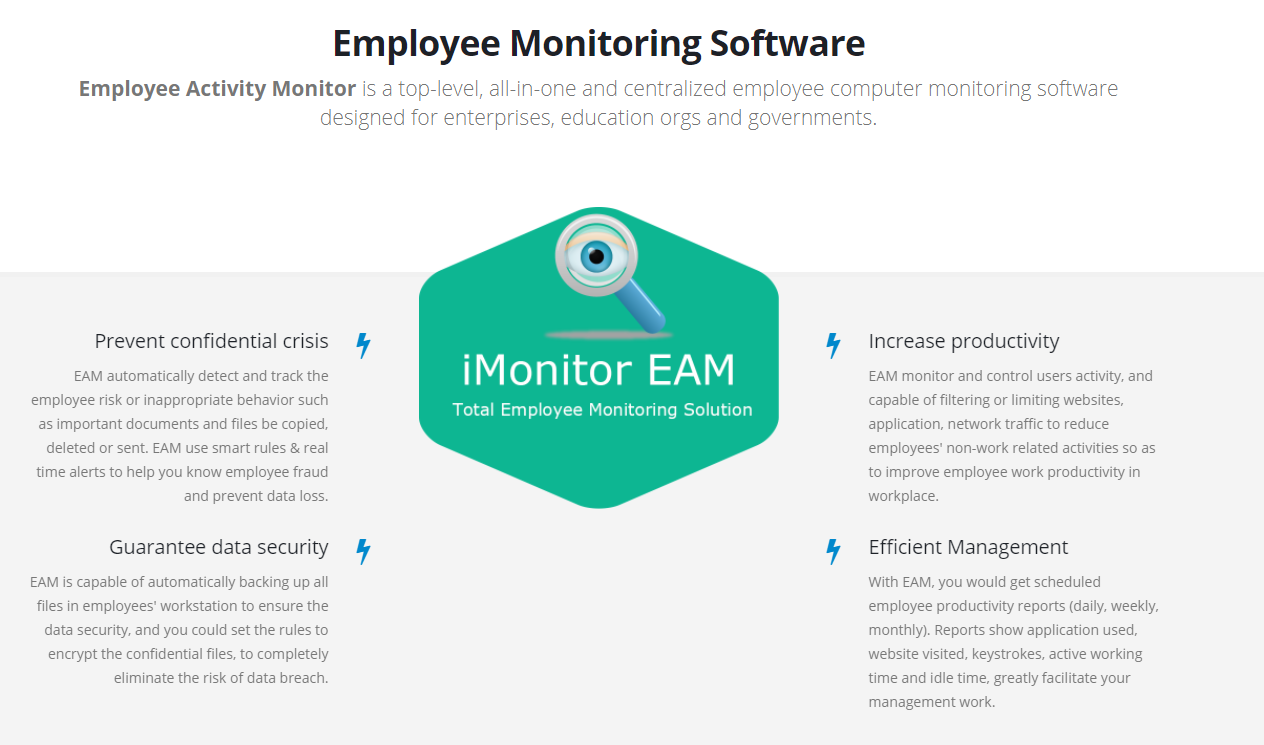
Employee Activity Monitor can help you round all the computers to monitor employee behavior, protect corporate intellectual property rights. You just sit in the office used to tap the mouse to understand the working status of employees

Employee Monitoring software main features include:

* the client is running in hidden mode, a small memory footprint, CPU occupation of basic to 0, no third-party plug-ins completely independent intellectual property rights.

* Support for multiple computers simultaneously monitor, operation is extremely simple, the basic need training.

* Record all the files on the computer staff operations. Such as copy files, delete files, create files, open the file, the file is to the U disk, and other baking.

Companies will be at big risk if they do not monitor employee’s computer and online activities.

Posted on June 7th, 2011 in Employee Monitoring | No Comments »

Actually,companies will be at big risk if they do not monitor employee’s computer and online activities.

Unseemely web surfing, hostility emails and worse can lead to costly lawsuits ranging from hostile work environments to sexual harassment cases – not to mention losses resulting from trade secret theft.

Did you know:

27% of businesses monitor employees’ computers?

Employers have found one of the best ways to protect themselves against misuse of company networks is to monitor employee computer use. This means that many companies are starting to hire CIOs whose sole mission is to monitor employee computer , chats and Internet use.

Not all Chief Information Officers are entirely comfortable with monitoring employee electronic communications, especially if a worker is also a friend, but it’s become a necessity in today’s digital world.

IMonitor EAM reports that workplace computer monitoring has become standard practice. More than three-fourths of businesses monitor employees’ computers. That’s a 27% increase since 2001. And 65% of organizations use Internet filter software to block websites.

Companies vary as to how strict they are when it comes to blocking the Internet. Some employers use content filtering to block adult sites, gambling and violent materials. Other companies block Internet use completely and believe that employees should never use the Internet at work.

The degree of Internet filtering often depends on one’s job duties. Employees doing research need full access to the web, but front-line employees may not need online access on the job.

In an ideal world, employees would show common sense when given access to the Internet at work. But the reality of on-the-job Internet use is less than perfect. One CIO found that 5% of employees visited sites that were completely inappropriate, and 20% looked at sites that were questionable.

The bottom line is, the best insurance against cyber mishaps is to explicitly communicate a clear company policy on computer usage backed up by computer surveillance software.

A word of caution to employers: use Internet filtering that’s suitable for the employees in question. According to Manny Avramidid, Senior Vice President for Global Resources at American Management Association, Internet surfing for highly skilled or hard-to-find employees is a perk. So while monitoring employee computer use is standard practice, over zealous employee Internet blocking may not always be in a company’s best interest if keeping employees happy is a priority.

IMonitor employee monitoring software solves this problem because it gives employers the power to use website filtering as much or as little as they choose. Even if Internet blocking isn’t activated, all computer activity is recorded. Screenshots are taken when questionable activities occur all the recorded data is organized so that companies don’t have to spend a lot of time searching through harmless employee files.

Monitoring employee computers doesn’t have to be complex, and easy-to-use monitoring software like IMonitor is an excellent way for companies to protect themselves.