Time tracking vs employee monitoring: which do you actually need
Posted on October 23rd, 2026 in Guides | No Comments »
Buyers usually arrive at this question after a bad meeting. Someone asked for “monitoring”, someone else heard “time clock”, and the conversation ended without a decision. The two are related, but they answer different questions, and confusing them leads either to over-buying or to a tool that cannot do the job.
Here is the distinction in plain terms, four scenarios that decide it, and what to configure in each case.
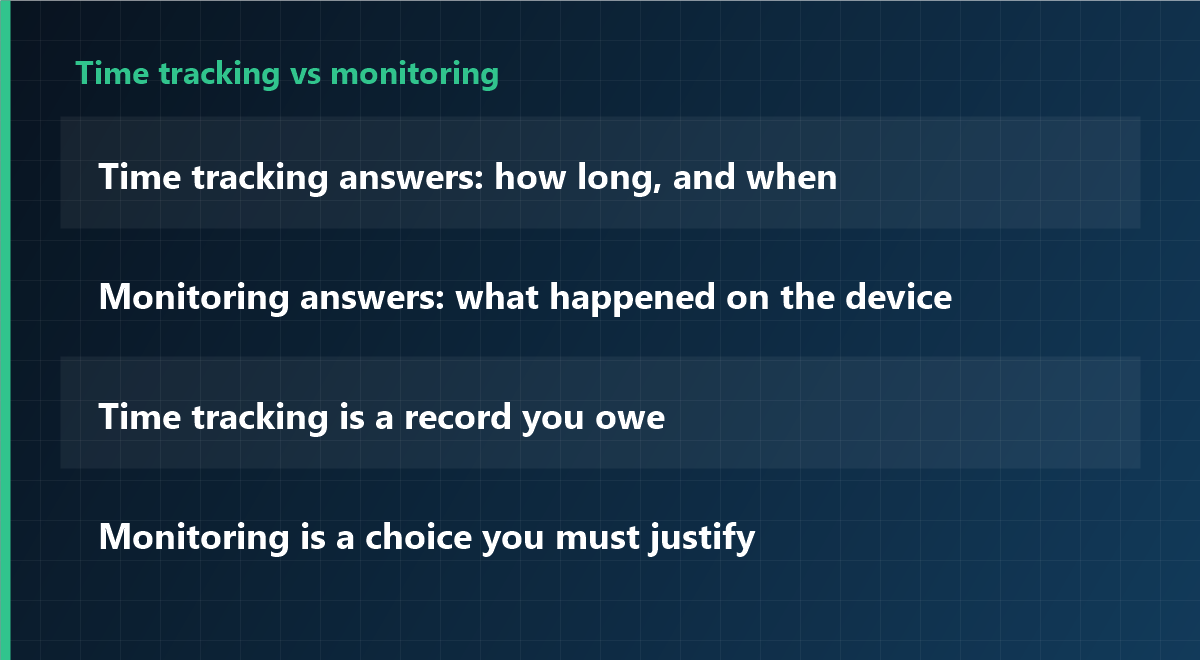
The difference in one line each
| Aspect | Time tracking | Employee monitoring |
|---|---|---|
| Question answered | How long did work happen, and when? | What happened on the device while work was happening? |
| Typical driver | Legal obligation, payroll, client billing | Security incident, productivity concern, process problem |
| Data collected | Start, stop, breaks, project codes | Applications, websites, screenshots, file activity, USB, print |
| Who looks at it | Payroll, HR, project managers | IT security, and only in defined cases |
| Sensitivity | Low to moderate | High — needs a stated purpose and a documented scope |
| Default posture | On, for everyone, all the time | Off, and switched on narrowly when justified |
Where they overlap
Most modern tools do both, which is exactly why the confusion exists. An agent that records working hours can also record application usage; a monitoring product can produce a timesheet. The overlap does not mean the two are interchangeable. It means the configuration is where the decision lives.
Four scenarios that decide it
1. You must document working time
In several jurisdictions employers are required to record working time, and the record must be reliable and retained. That is a time-tracking problem. Buy for accuracy and export, not for screenshots.
2. You had a data incident
A file left the company, or someone is suspected of copying client data. That is a monitoring problem, and it should be scoped to the incident: specific devices, a defined window, a named investigator. Broad always-on capture is not the proportionate answer.
3. You suspect the work is not happening
This is the most common case and usually the one where monitoring is the wrong first move. Before recording anyone, check the five operational indicators — delivery against commitments, time stuck waiting, focus time, where requests come from, rework count. If those show a real problem, it is usually a process problem, not an effort problem.
4. You need both, for different groups
Field staff on billable hours, plus an IT team that needs incident forensics. That is legitimate, and it argues for one platform with per-group configuration rather than two products with separate data sets.
What to configure, depending on the answer
- Time tracking only: enable hours, breaks and project attribution; leave screenshots, keystroke content and website categories off; give employees a self-view of their own timesheet.
- Incident scope only: enable the relevant modules for specific devices for a fixed period, log every access, and set an automatic end date.
- Both: keep the groups separate so that payroll data never sits next to forensic captures, and so that a viewer of one cannot see the other.
The legal asymmetry worth remembering
Recording working time is often an obligation. Monitoring content is almost always an intrusion that must be justified. That asymmetry should drive the defaults: hours on, screenshots off, and a written reason before anything else is switched on.
Frequently asked questions
Can time tracking software also be used as monitoring?
Technically yes in most suites, but the legal basis and the notice differ. Deciding to enable it later is a separate decision that needs its own purpose, scope and information to employees.
Is monitoring ever simpler than time tracking?
Rarely. Time tracking has a clear, defensible purpose; monitoring requires explaining what is captured and why that specific data is necessary. That explanation is the hard part, not the installation.
Do we need both products?
Usually not. One platform with per-group configuration is easier to govern, because access rights, retention and audit logging live in one place.
Configure the scope, not the whole suite
iMonitor separates the modules, so working-time records can run on their own and monitoring modules stay off until there is a documented reason. Retention and access rights are set per module.
This article is general information and does not constitute legal advice. Consult a professional on employment law and data protection before deploying either capability. Last updated: 23 October 2026.