
-

 Remote MonitoringiMonitor 365Record all user activities on PC & MacKeystrokes, screenshots, live desktop




Cloud based Computer Monitoring Software
Keystrokes, screenshots, chat, web, print, file, USB storage, clipboard, live desktop... Based on cloud, iMonitor 365 can monitor employee's computer and internet activities from anywhere in real-time.
Target Client
The target clients of iMonitor 365 are basically small and medium enterprises. We can quickly and efficiently provide you the key information you need, and help you to increase employees' productivity.
Cloud Based Data Saving
The data of iMonitor 365 is stored on cloud. It could be checked anywhere and anytime on the web browser with internet access, no need the third-party server.
Easy to Install
iMonitor 365 just need one agent program installed on target computer, and the installation is simple. With online console can maximumly simplify the monitoring process. No need the extra IP address setting.
Comprehensive Data Saving
Recording employee's computer and internet activities logs are available with iMonitor 365, and it will be saved on the cloud for 7 - 30 days. The user can view the reports online, or download the XLSX files to the local disk.
Powerful Monitoring Procedure
You can setup one account to monitor multiple computers. We provide online console which can run on any web browser, even your mobile phone's web browser.
Extensive Reporting and Monitoring
iMonitor 365 can collect the general online and local computer internet activities reports and it can be saved daily, weekly, monthly. Also, it can monitor the target computer in real-time and display as live desktop.
iMonitor 365 Features
| PC Activities | Internet Activities | Remote Control | Other Features |
|---|---|---|---|
| Keystrokes | Website Visited | Live Desktop | Cloud Based |
| Screenshots | Top Websites | Live Camera(Only a few laptops are supported) | Web Console |
| Clipboard | Chat Conversation | Block Websites | Weekly Unlimited Data Storage |
| PC Summary | Facebook & Twitter | Block Application | Time Order Viewing |
| Print Jobs | Searched Keywords | Block Game | Password Protection |
| File Operations | Online Downloads | Block Facebook/Twitter | Free Upgrading & Support |
| USB Device Storage | Online Storage | Keyword Filter | 3 Days Money Back Guarantee |
| System Events | Reports Download | Block USB Device | Graphical Charts |
| Clipboard | FTP File Transfer | Disable File Copy | Offline PC Works |
| Agent Alerts | Network Traffic | Block Online Storage | Daily/Weekly Reports |
| Application Usage | E-mail, Webmail, Attachments | Limit Computer Time | Supports Win XP/Vista/7/8/10 |
Purchase iMonitor 365 for PC / MAC
One Month Plan $24.95 per PC/Mac
- 3 days money back guarantee
- 24x7 free support available & Free version upgrades
- Full monitoring features & Real time remote desktop
- Windows 2000/XP/Vista/7/8/10,32bit&64bit and Mac OS 10.8+
- Windows server 2000/2003/2008/2010/2012 (1-3 user sessions)
- Buy now
One Year Plan $99.95 per PC/Mac
- 3 days money back guarantee
- 24x7 free support available & Free version upgrades
- Full monitoring features & Real time remote desktop
- Windows 2000/XP/Vista/7/8/10,32bit&64bit and Mac OS 10.8+
- Windows server 2000/2003/2008/2010/2012 (1-3 user sessions)
- Buy now
Purchase iMonitor 365 for Citrix / Terminal Server
One Month Plan $99.95 per Server
- 3 days money back guarantee
- 24x7 free support available & Free version upgrades
- Full monitoring features & Real time remote desktop
- Citrix, Windows server 2000/2003/2008/2010/2012 (4-15 user sessions)
- Buy now
One Year Plan $399.95 per Server
- 3 days money back guarantee
- 24x7 free support available & Free version upgrades
- Full monitoring features & Real time remote desktop
- Citrix, Windows server 2000/2003/2008/2010/2012 (4-15 user sessions)
- Buy now
360 Degrees Monitoring
Based on cloud, iMonitor 365 can real-time monitor employee's computer and internet activities from anywhere.
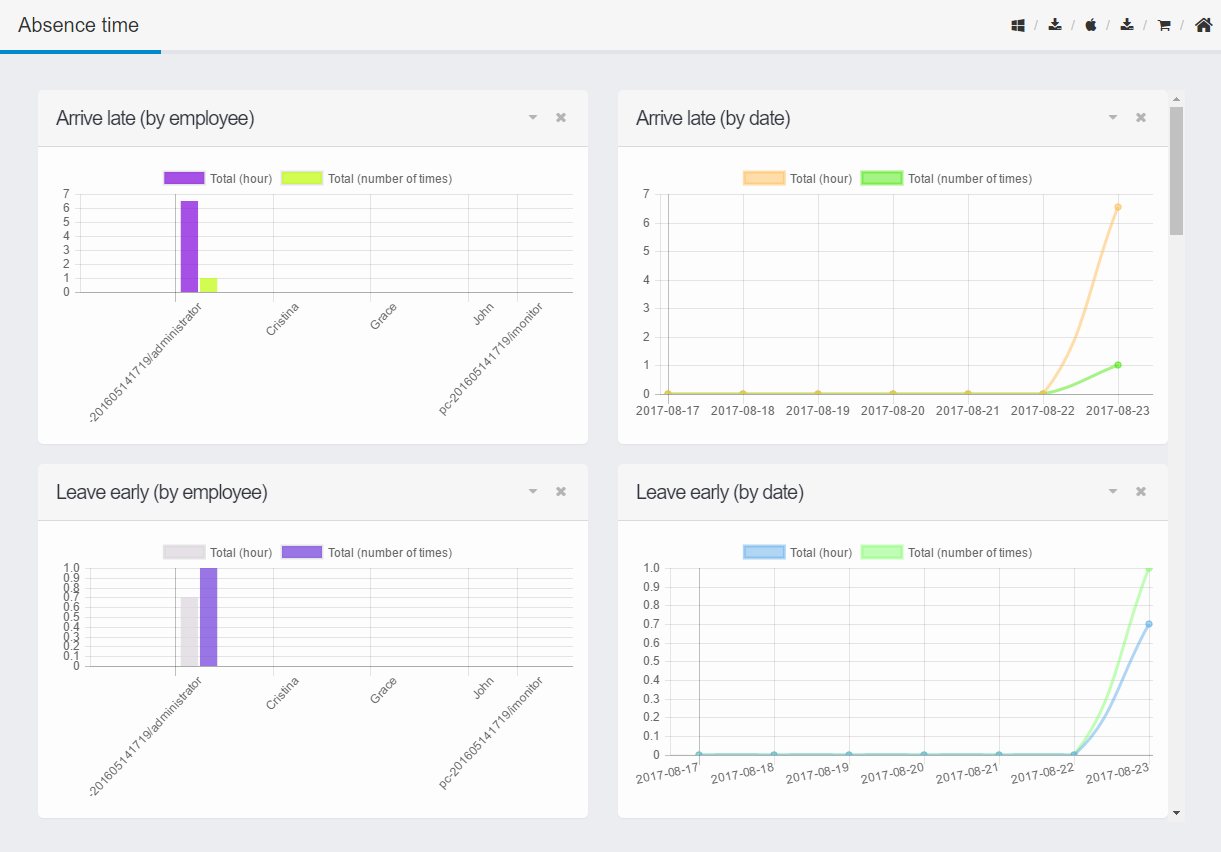
Extensive Reporting
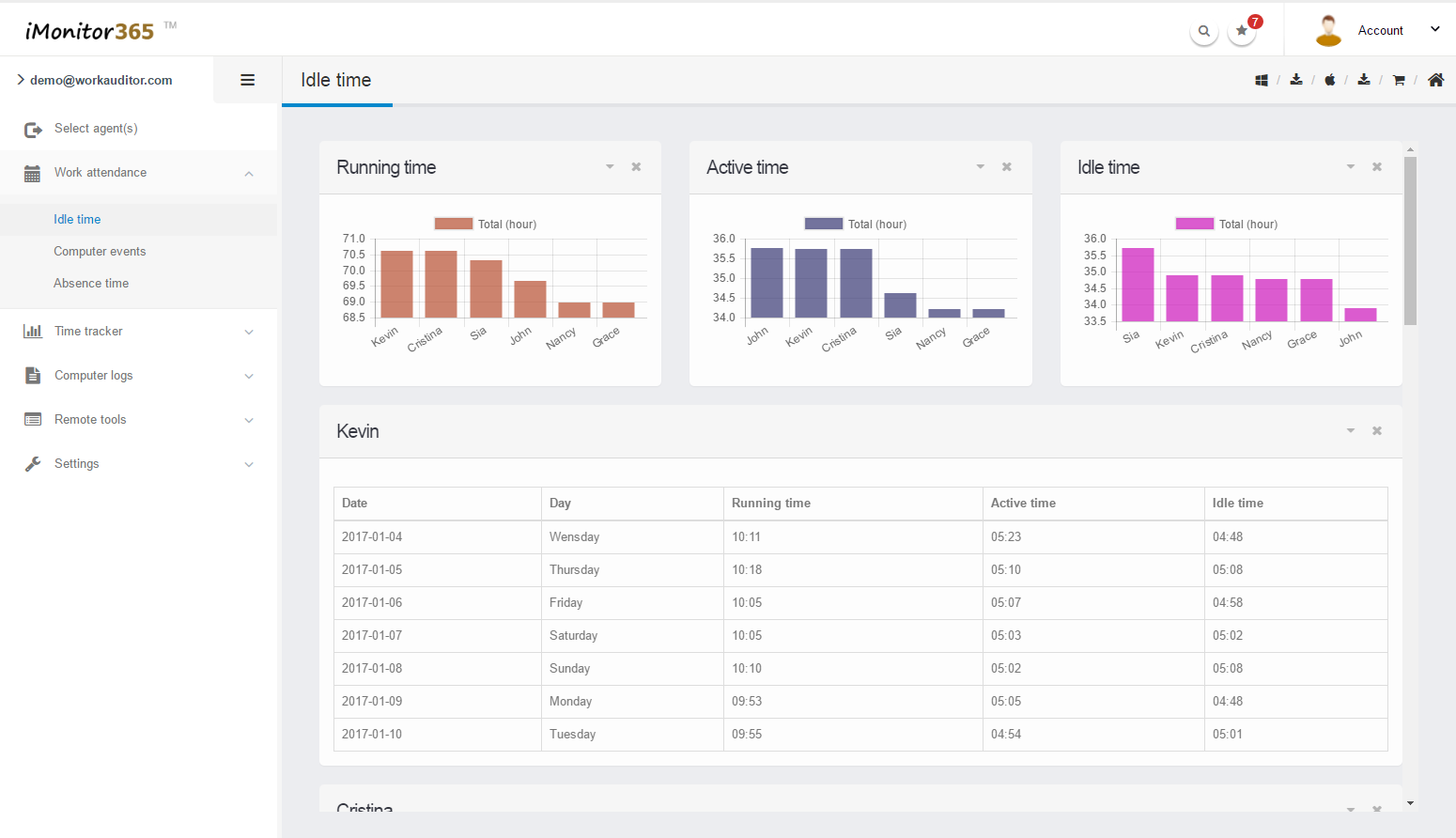
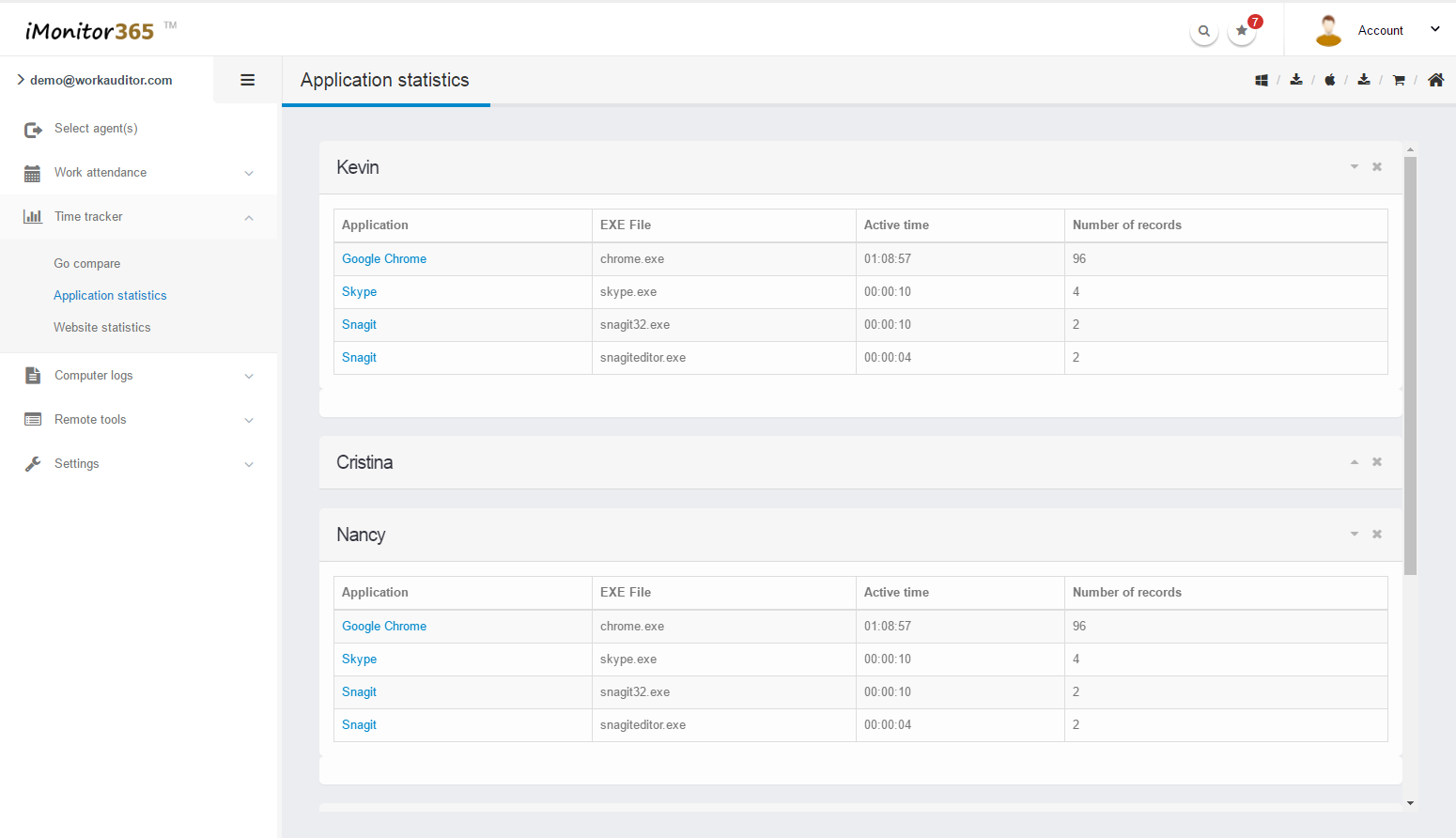
iMonitor 365 can collect general online and local reports and save them daily, weekly or monthly. Analyzing employees' computer and internet activities based on stamps, frequency or keywords, and displaying in charts that helps you get knowledge of employees productivity intuitively.
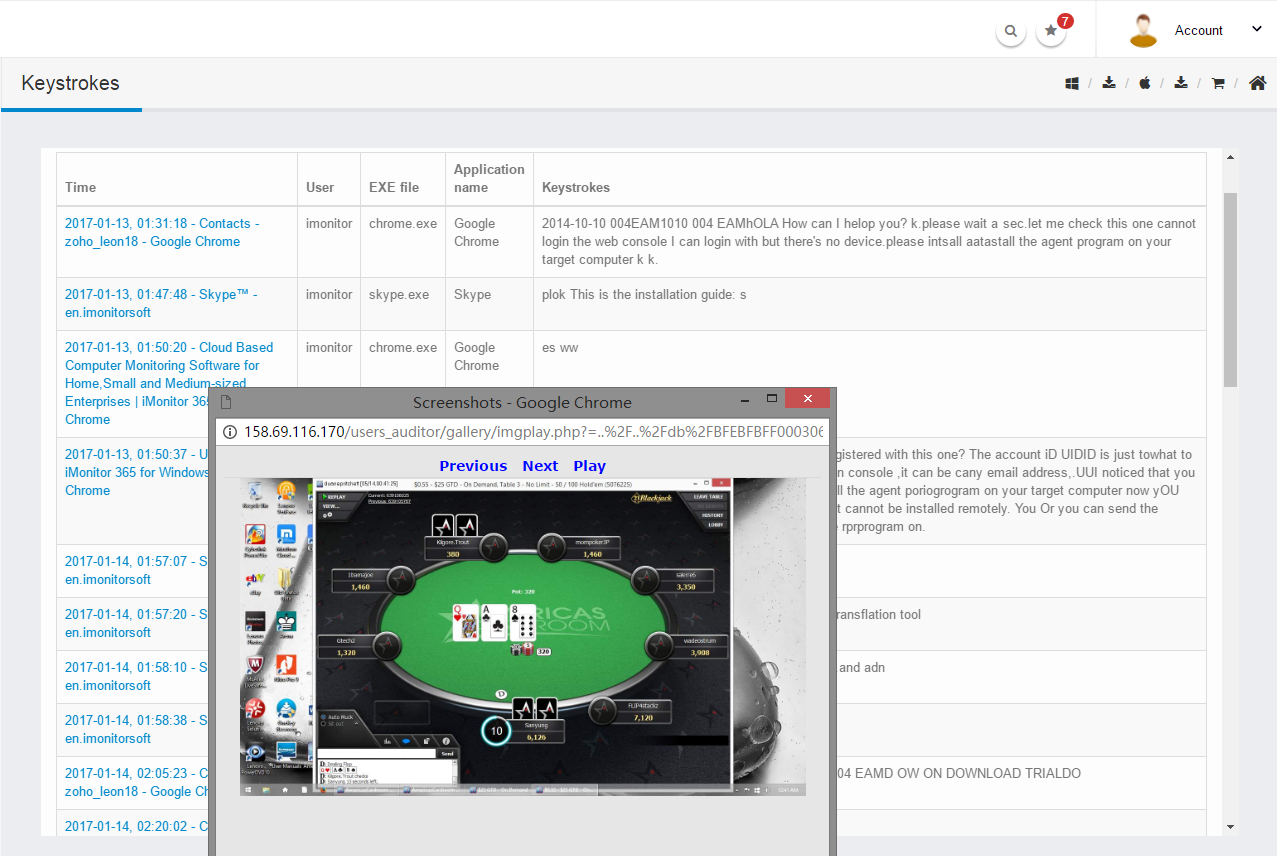
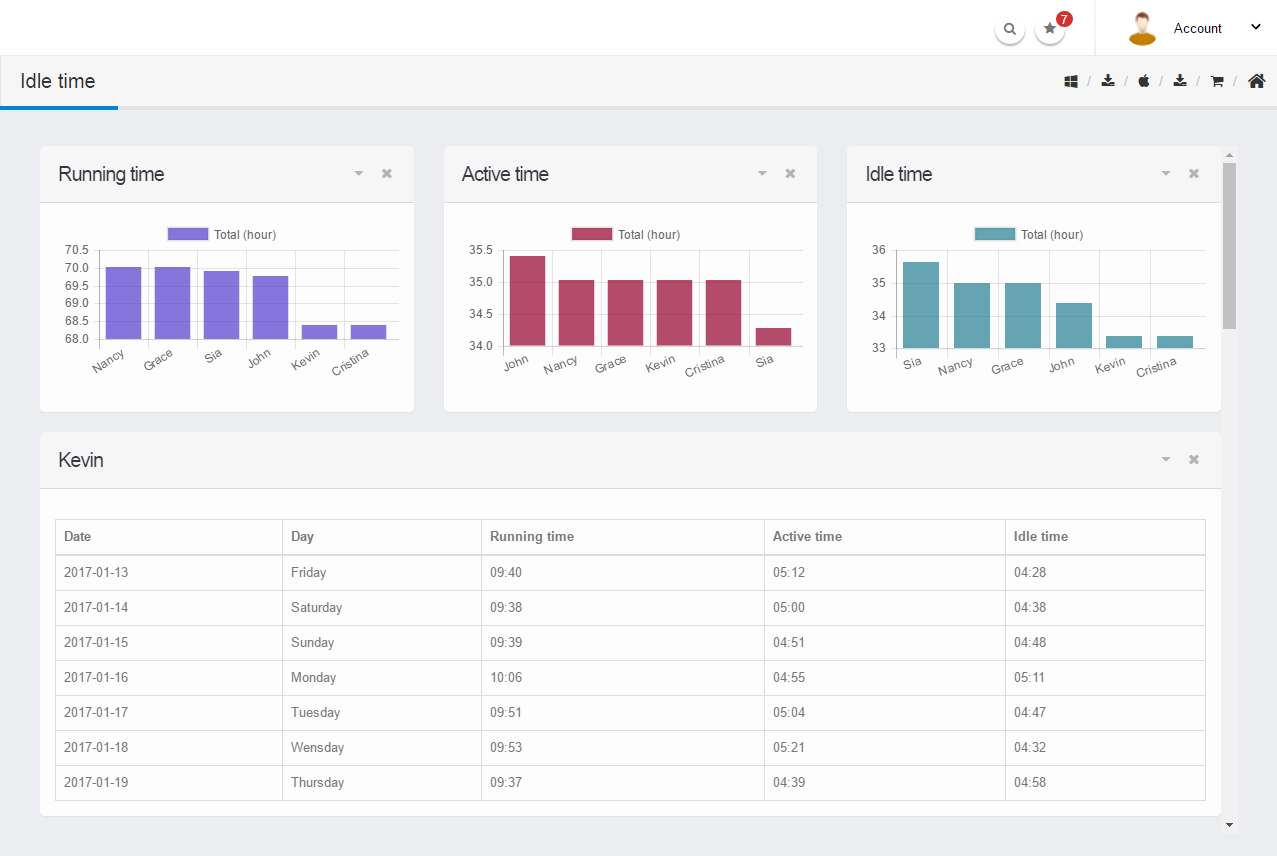
Easily Logs Viewing
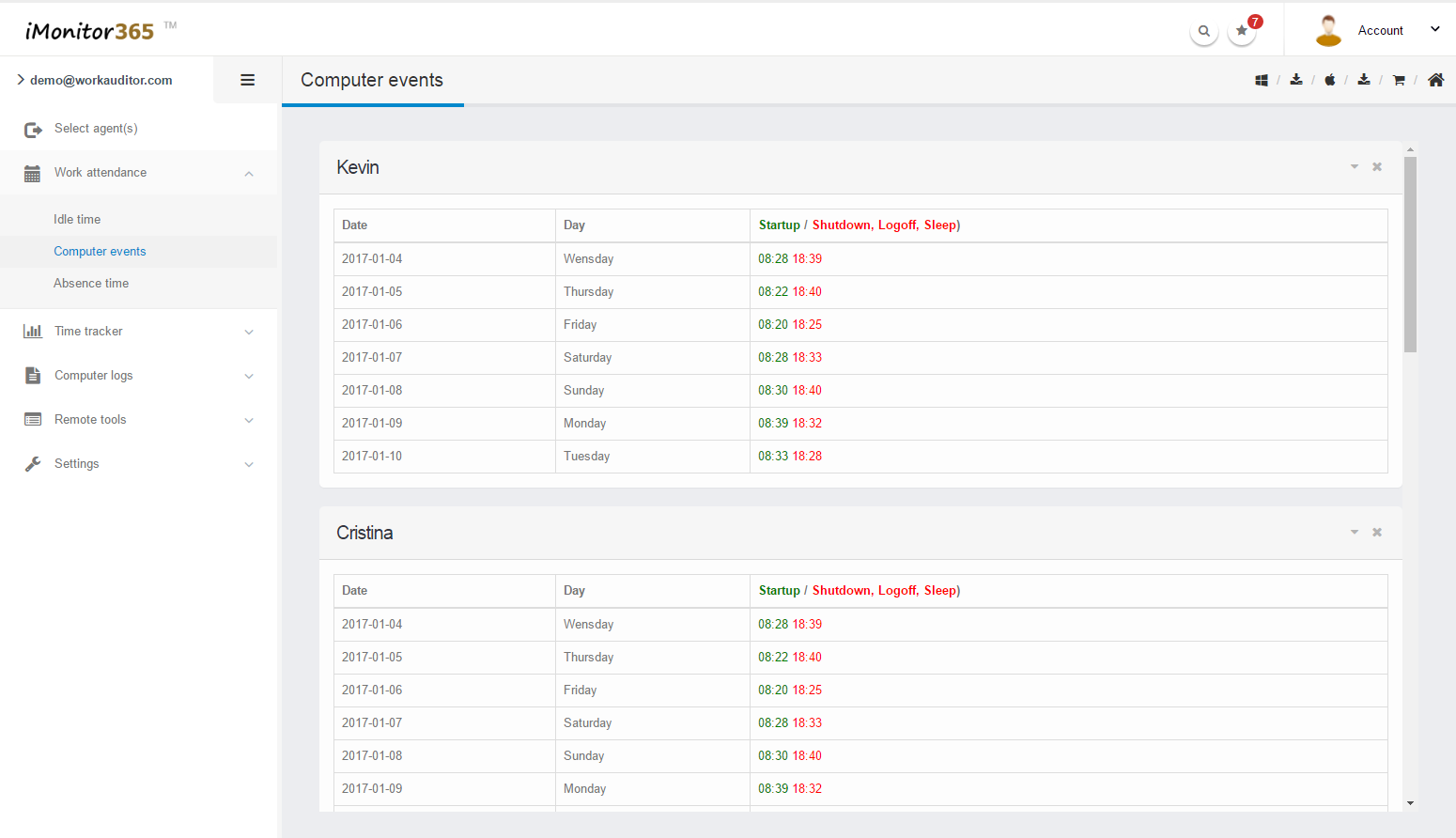
Without complicated words, iMonitor 365 provides visual histogram to show all the activities of employees on computer. Using different colors to distinguish the events and date, saving your time to find the key information. Making the whole viewing process to a visual treat, not only the job.
Live Desktop & Alert
iMonitor 365 provides remote function, with live desktop and remote camera, you can view live desktop scene of employee's computer;open the camera of employee's computer remotely to view the work scene. Also, iMonitor 365 will detect pre-set keywords and send the alert to management console immediately whenever keywords captures.
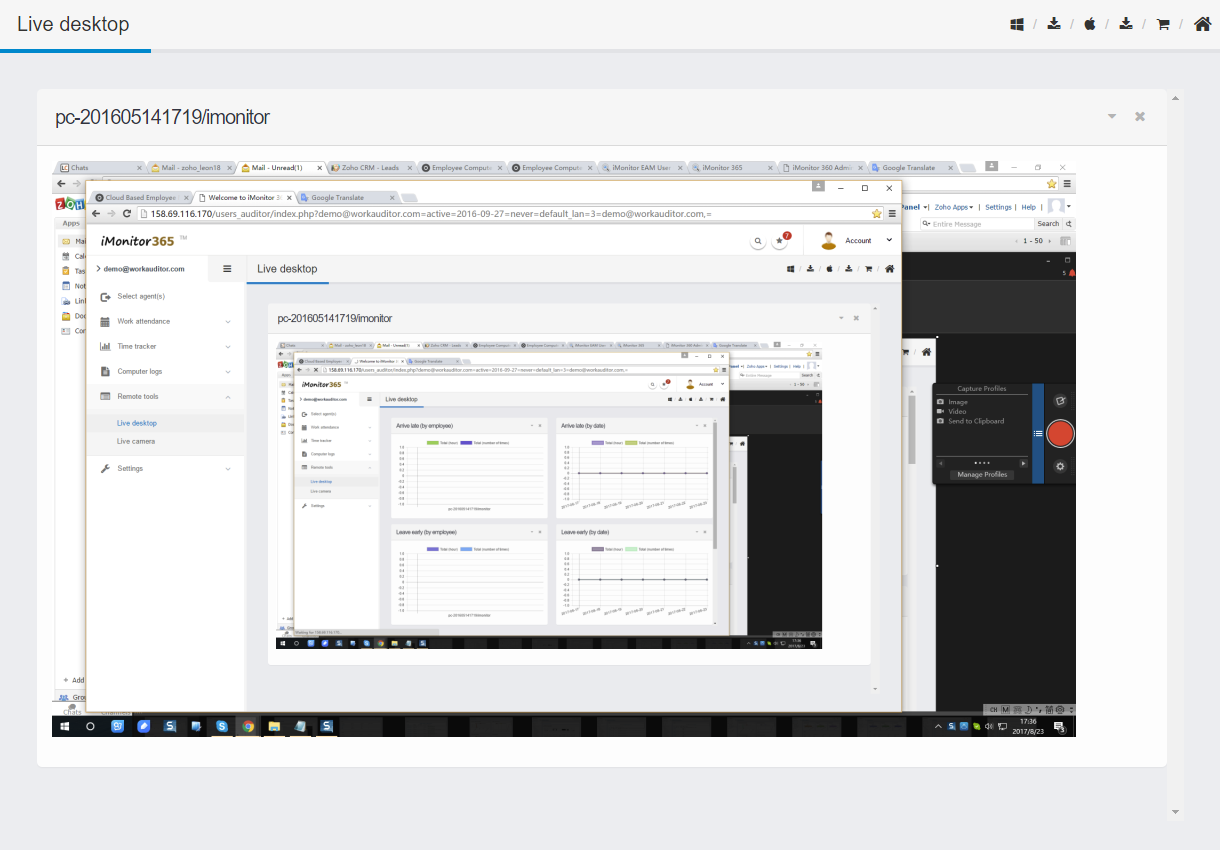
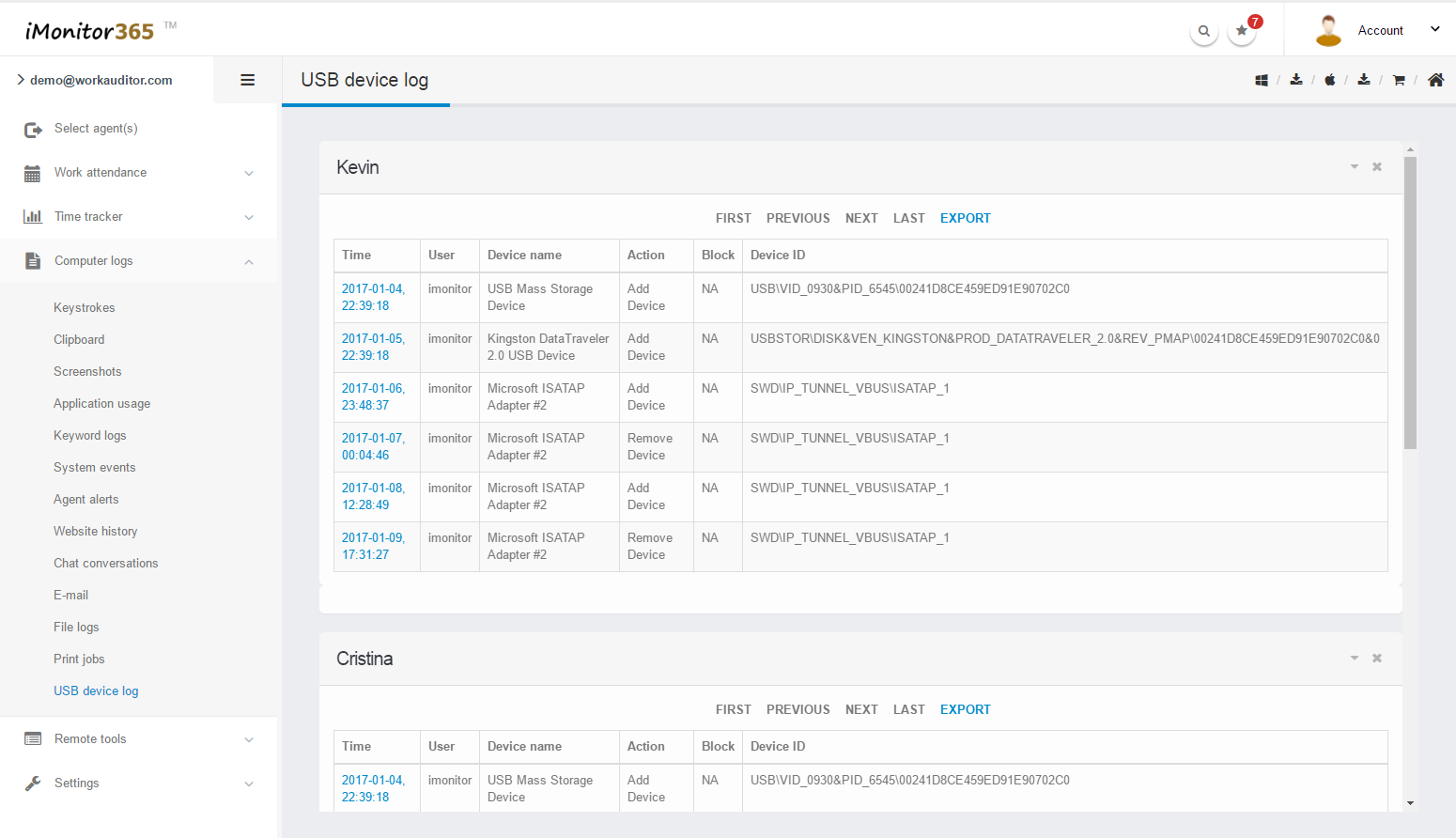
Screenshots
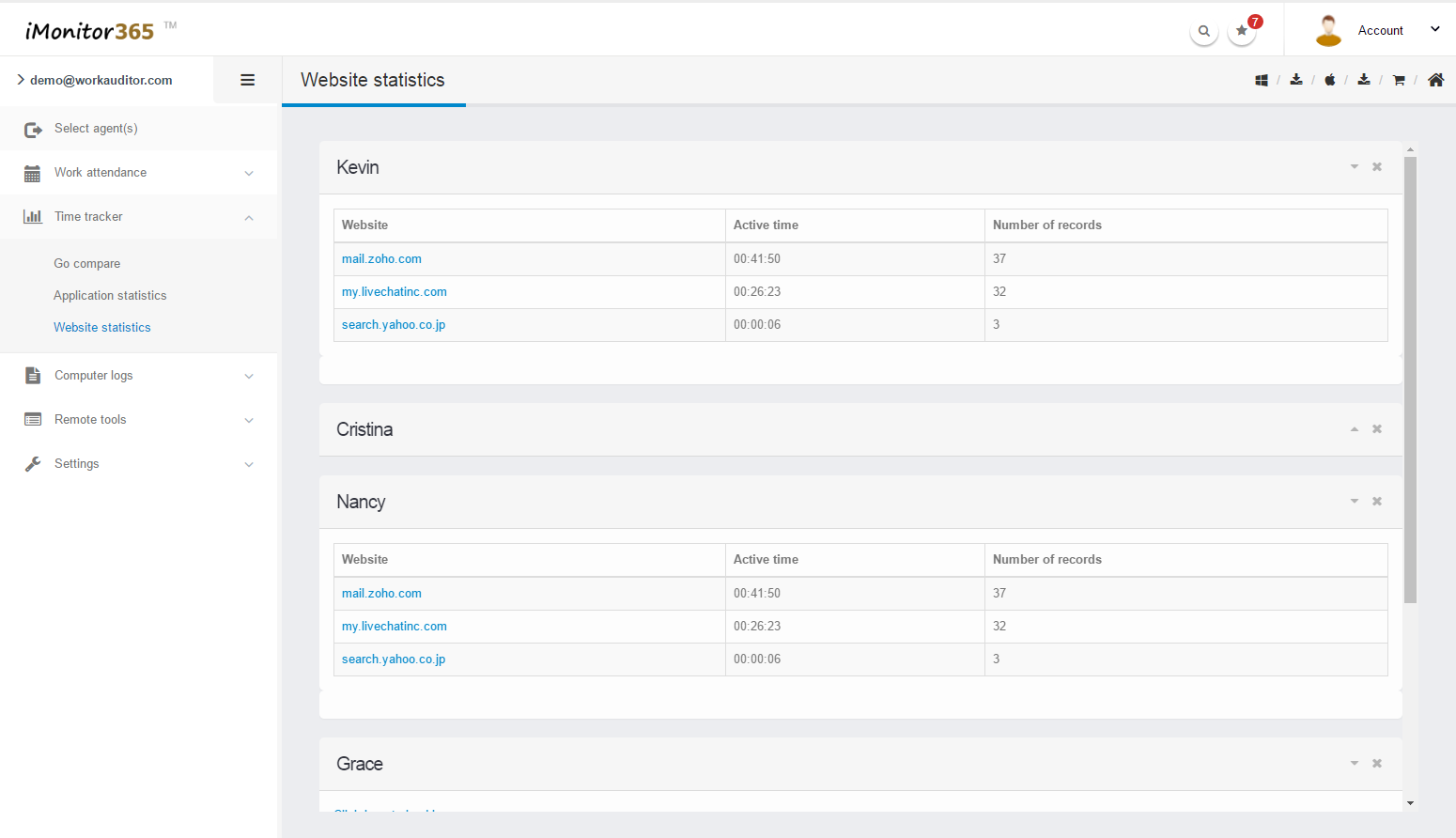
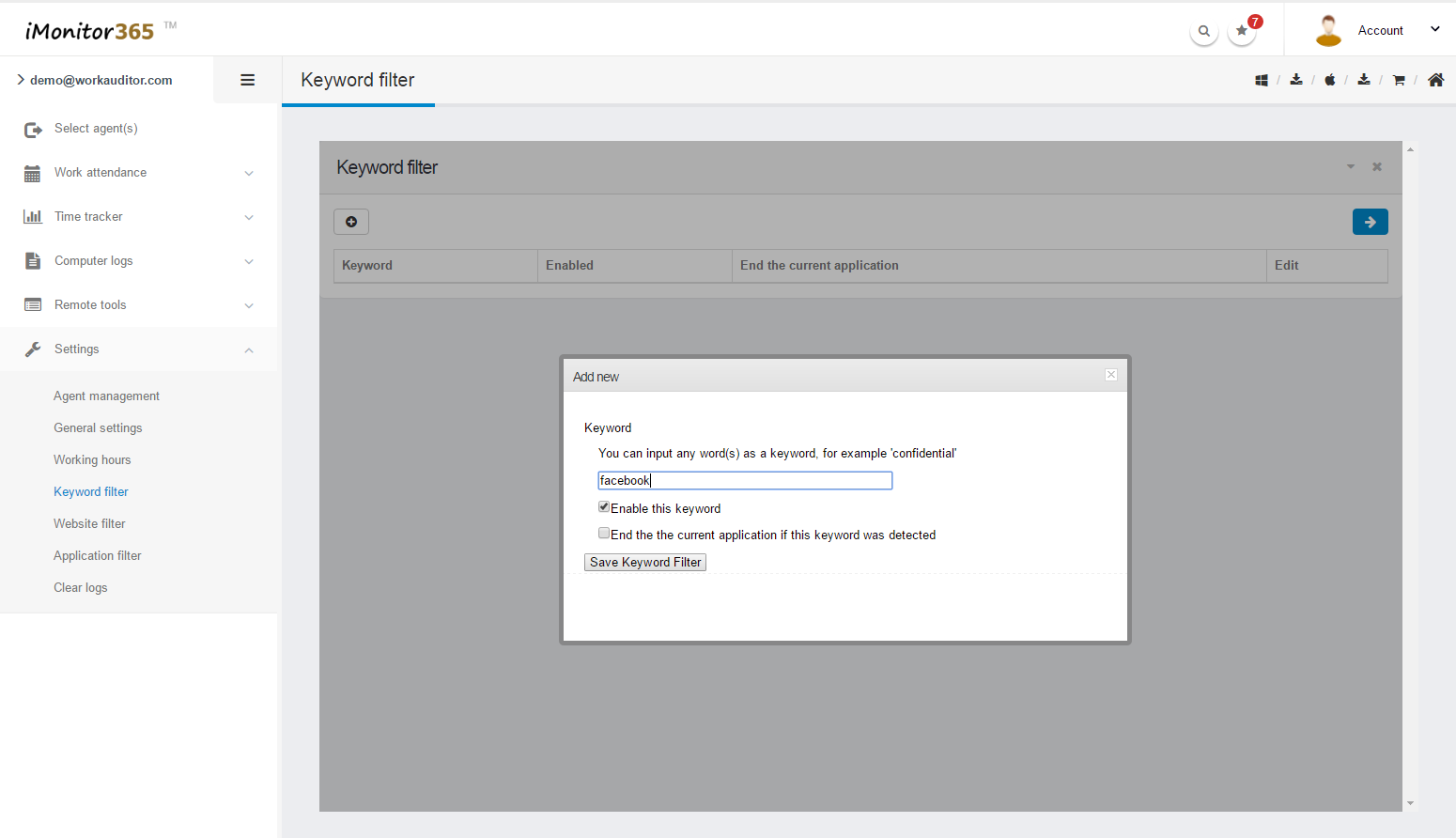
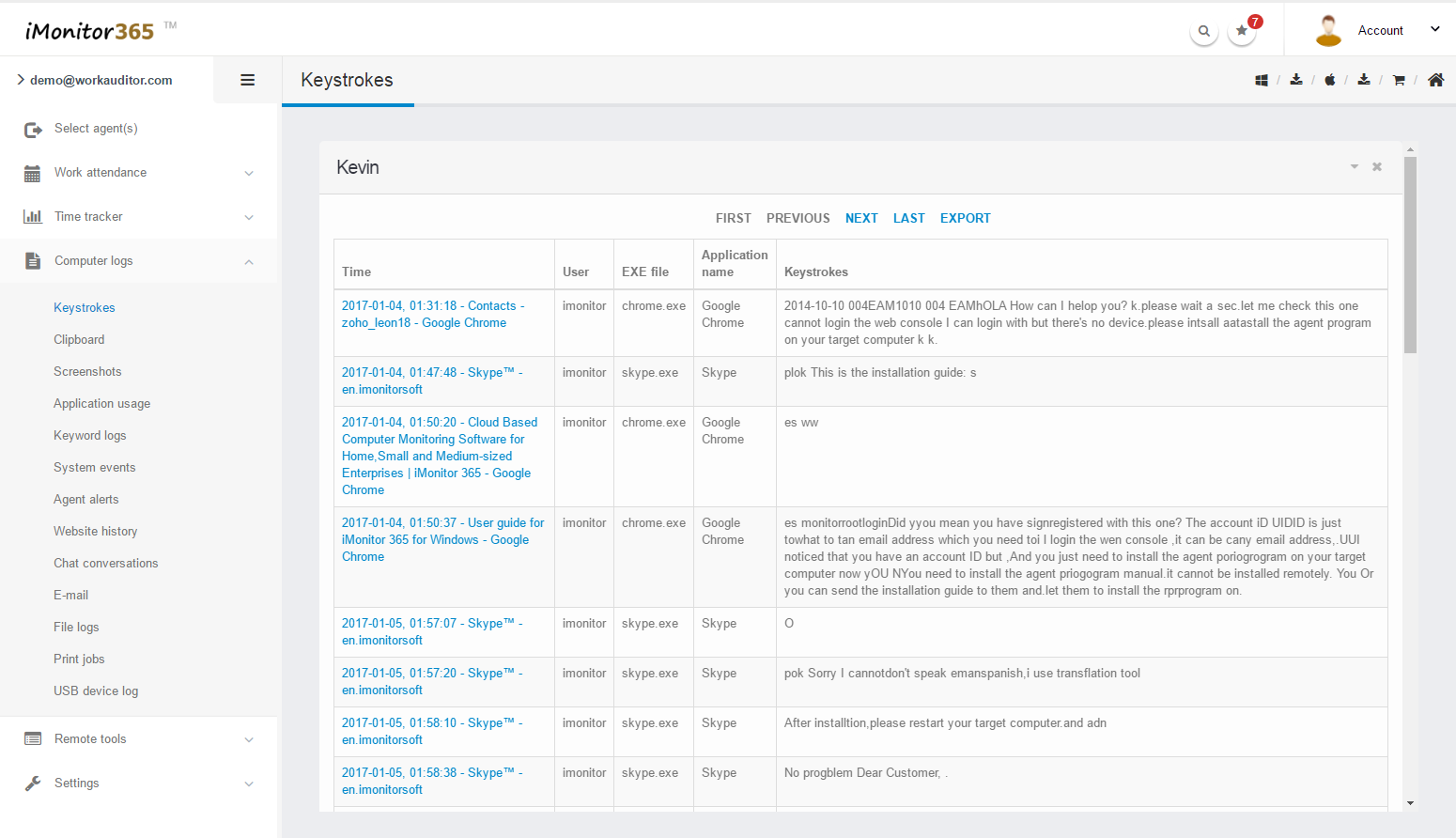
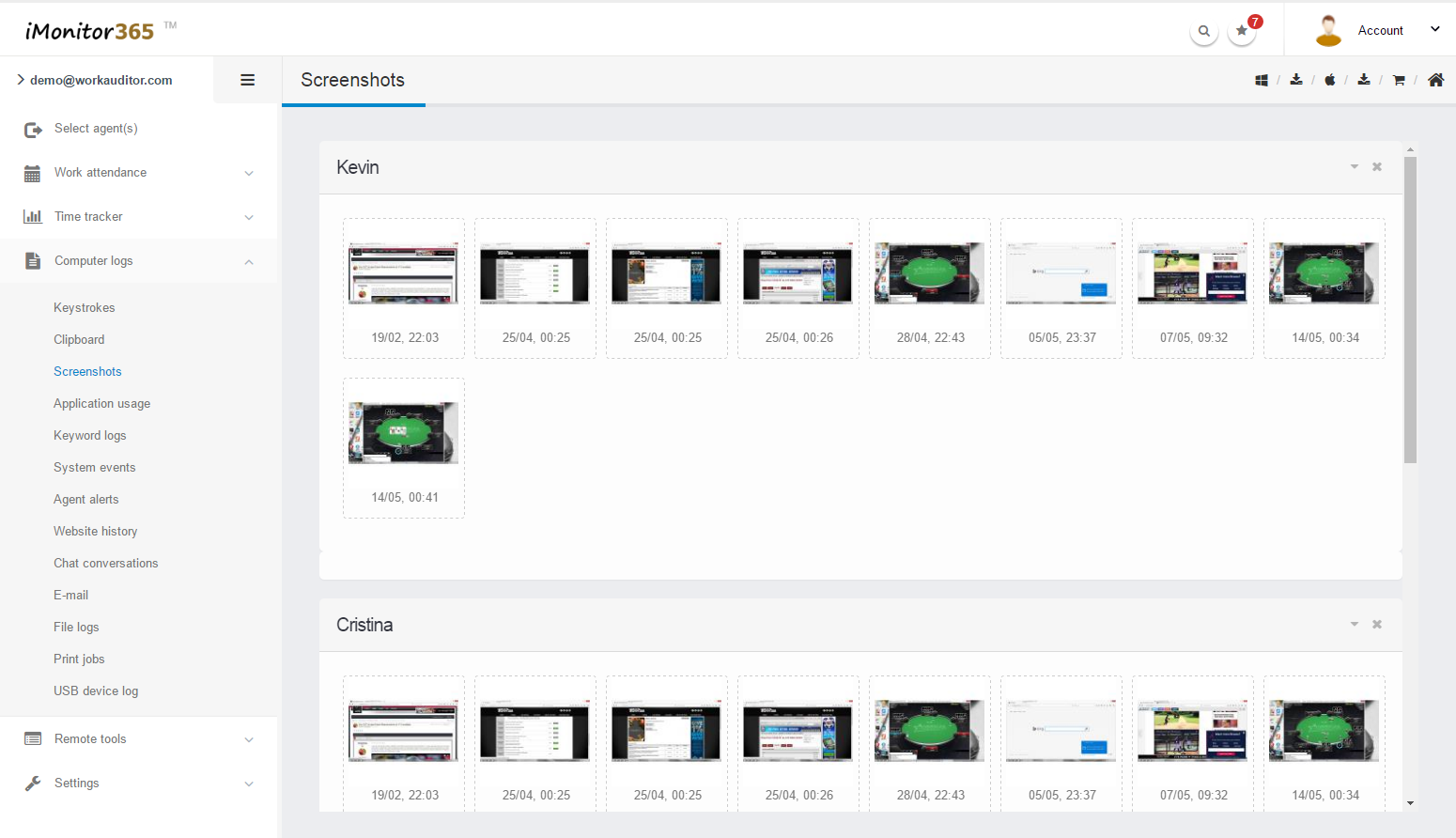
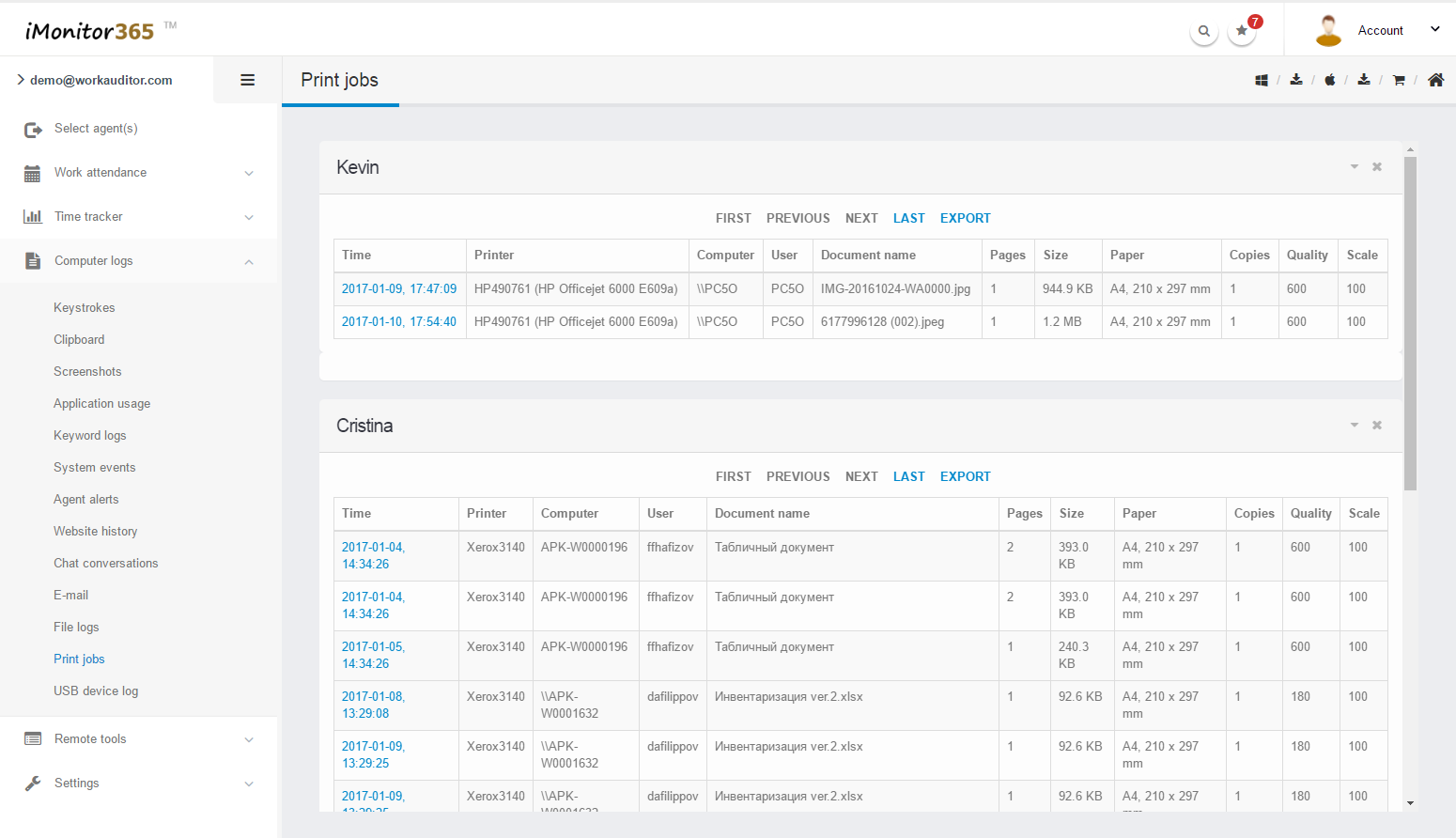
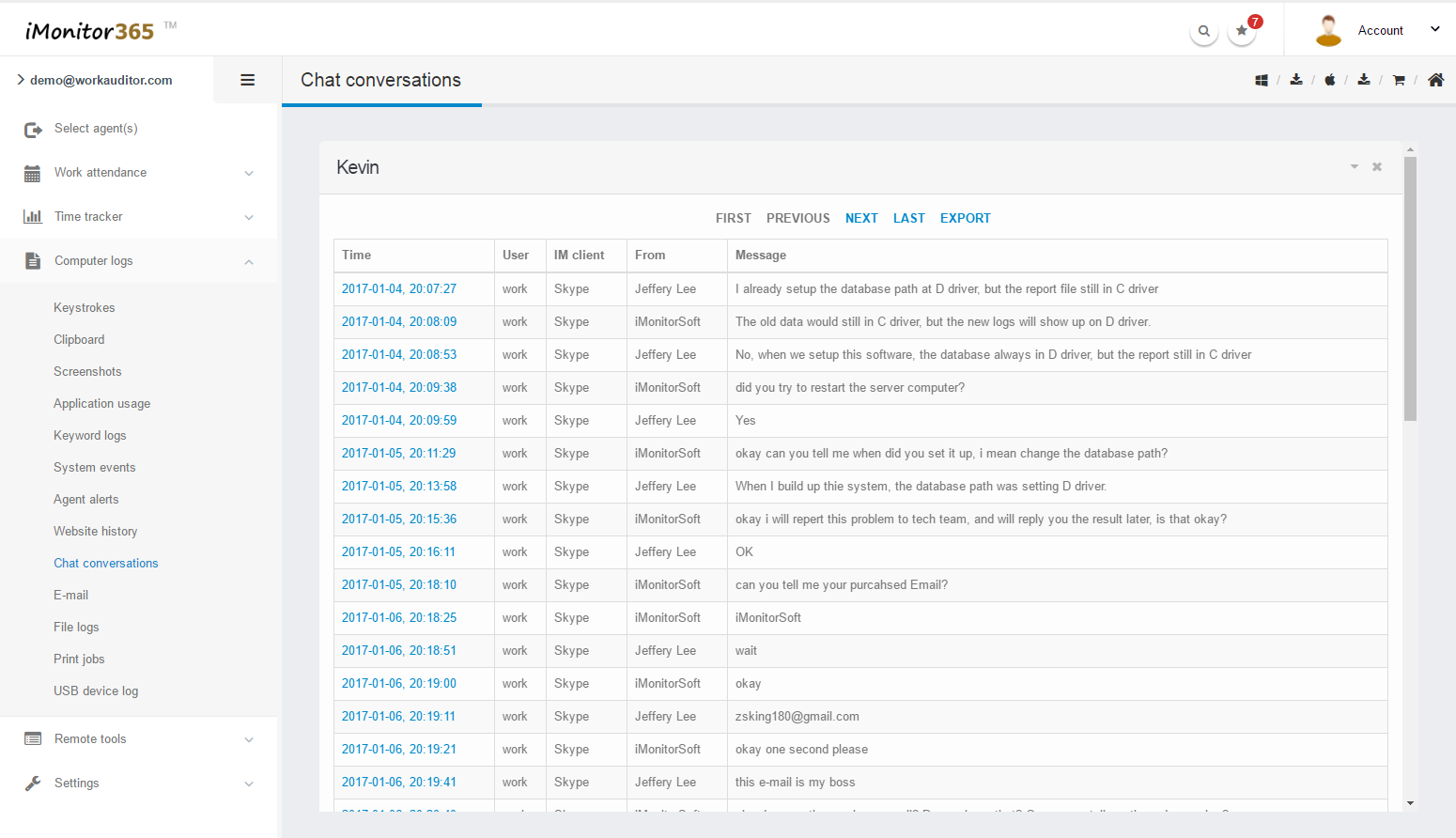
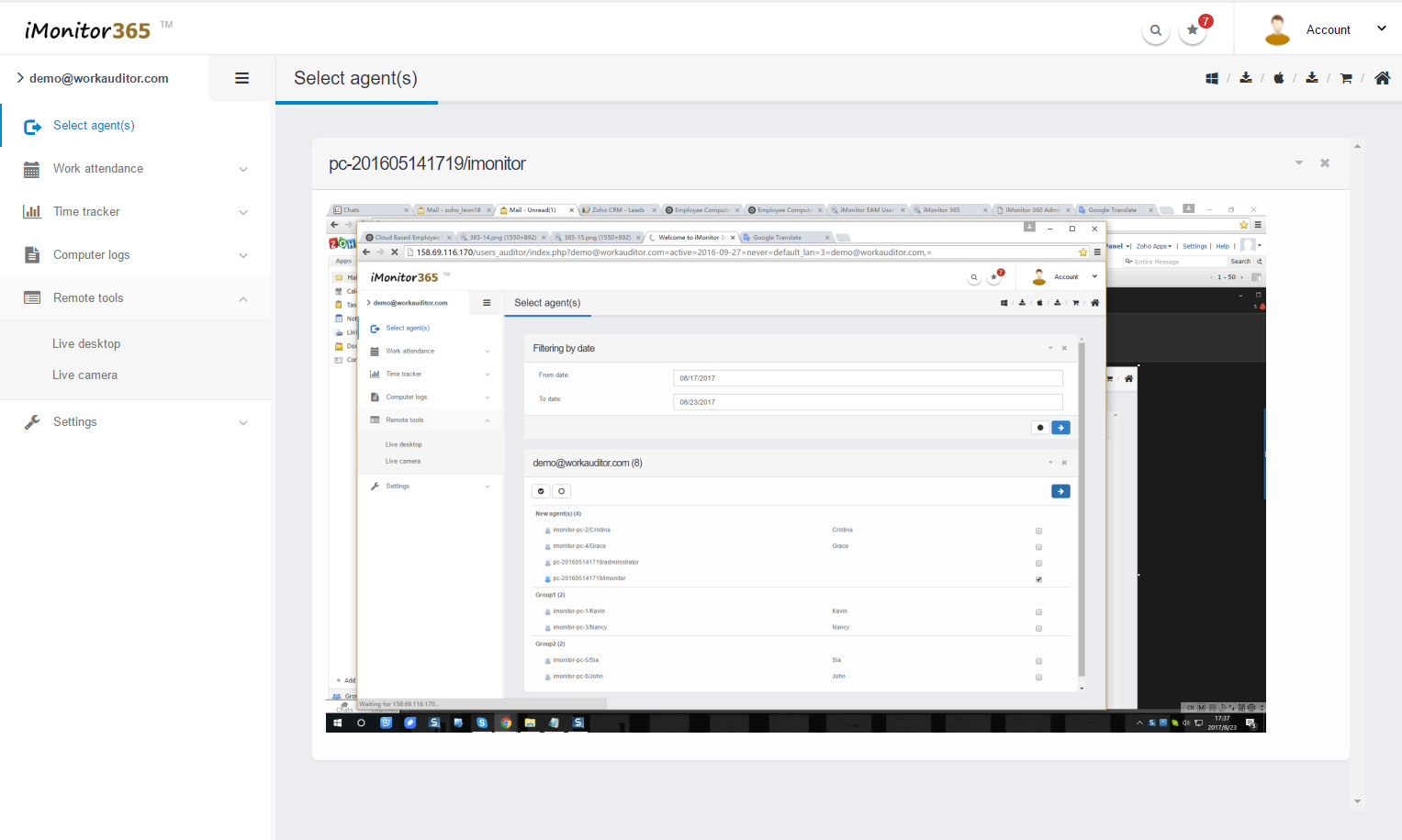
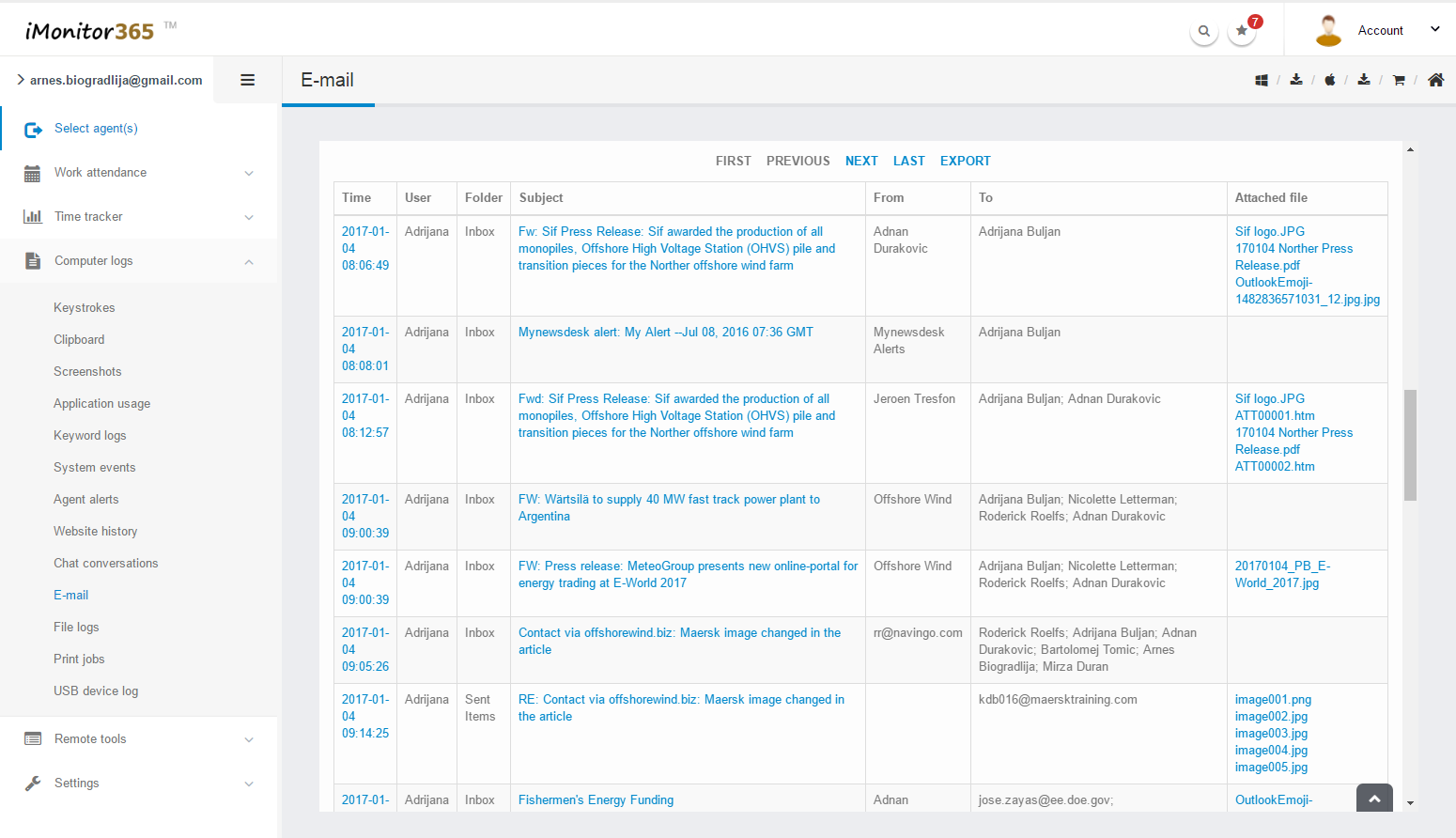
FAQ
For a normal computer, the license is per machine. IMonitor 365 license size is based on the number of computers you are going to monitor, i.e. the number of computers where you install Agent in your organization. You will not be able to monitor more computers than the license size you purchase. For example if you want to monitor 25 computers, you need to purchase the '25 computers license'.
For Terminal server, the license is per user, for example if there are 10 users on the Terminal server and you want to monitor them all, you should buy 10 agent licenses.
3 days money back guarantee.
After your payment, we will help you to activate your license, you just need to continue to use it.
Sorry currently we only provide our software via internet download, if you buy our software from our resellers, you can ask CD-Rom package from them.
There is only one flat fee that you pay once and own the license for the product forever. There is no need to pay for subscription, tech support, etc.
Yes,of course.As a registered user you will get high priority life time product,free technical support via email. Please feel free to contact us with any questions regarding our software.
The process for being our reseller is very simple.Before your clients purchase, please firstly send us your client information such as company name, email address, website, telephone number and contact person name, etc, and after your clients place orders, we can check the information with what you have provided. If it is matched, we will pay back you the money (20% of the order). As to additional benefits for our resellers, depending on your sales results, if you can sell our products much in each month, we will make a contract with you and give you more reseller discounts, that means the more you sell, the more money you will get. Please send your company details like company name, address, telephone, contact person and website to me.Before we have contracted with you,please READ THIS CAREFULLY, WE WILL NOT REFUND OUR PRODUCTS WHICH CUSTOMERS BOUGHT FROM RESELLERS, IF YOU HAVE ANY REFUND ISSUE, PLEASE CONTACT YOUR RESELLERS!
If you can't buy our software online, PLEASE CONTACT US IMMIDIATELY VIA EMAIL (SUPPORT@IMONITORSOFT.COM). We will provide you alternative purchase links or methods at once.
You can buy our software via wire transfer, Please see the instructions below,1. Click the purchase link on our website2. In the popup web page, please change the option ‘ Method of payment ‘ into ‘ Wire Transfer ‘ at the bottom of the page.
We recommend Credit Card because it is easy and fast. Not much delay for receiving your payment, and we will process your order. Besides, you can also pay via Wire Transfer if Credit Card is not available for you. Please click here to see the payment tutorials
The Difference Between EAM and 365
The target customers of iMonitor 365 are basically small and medium enterprises; and iMonitor EAM is for all enterprises, no matter large, medium or small.
The data of iMonitor 365 is saved on cloud; the data of iMonitor EAM is saved on local server Disk.
iMonitor 365 is a remote monitoring software based on internet, which can real-time monitor the target computer anytime and anywhere; iMonitor EAM is based on internal network to monitor employees. If the user needs EAM to monitor client computers via the internet, then EAM server computer must use static internet IP address.
iMonitor 365 has 6 months plan and 12 months plan, which is recurring charge; iMonitor EAM is one-time payment for lifetime use.
iMonitor 365 provides free lifetime upgrades; iMonitor EAM provides one year free upgrades.
iMonitor 365 just needs one agent program which installed on target computer, and the installation is simple. iMonitor EAM requires agent that installed on target computer, and the control program should be installed on another computer, same with the server.
As long as you have an internet access,the user can check the reports anywhere and anytime on iMonitor 365's online console. And iMonitor EAM requires the user to use the computer which the control console is installed on, then connect the internal network to check or monitor the employees.
iMonitor 365 data saving time is 7-30 days; iMonitor EAM data saving time is according to the disk size of server computer, users can set it by themselves,it could be unlimited.
iMonitor 365 is running based on cloud, so the performance is according to your internet connection situation; iMonitor EAM is running on local area network, so it's no delaying.
The logs and the reports of iMonitor 365 and EAM are basically same, but the iMonitor EAM is more powerful in real-time monitoring and remotely control.
For the small and medium-sized enterprises,we recommend to use iMonitor 365.
For the large enterprises,we recommend to use iMonitor EAM.
For the users who are not good at computer, we recommend to use iMonitor 365.
For the users who have perfessional computer skills, we recommend to use iMonitor EAM.
For the users who have limited budget, we recommend to use iMonitor 365.
For the users who have enough budget, we recommend to use iMonitor EAM.
For the users who needs to monitor remotely in different network, we recommend to use iMonitor 365.
Live Demo
Testimonials
We only have 3 employees and we want to purchase iMonitor EAM, until now we find 365, which is same powerful as EAM, and it is much cheaper. Thanks iMonitor 365 that helps us save the budget.

FriedrichManager - Germany
we have already purchased 6 users' license and we are satisfied with that software.
MartinSales Executive - USA
Fabulous, I can even monitor my employees when I'm in cafe with my phone. What I can say is that your product is the best monitoring software I've found.
AmedeoManger - Italy
25000+ companies including Fortune Top 500 in 100 countries are using iMonitor.





